Un-peeling the NanoBanana SynthID Watermark
NanoBanana took the world by storm during its release a few months ago because of how it appears to edit images instead of creating new, completely synthetic images from a prompt. Text-to-speech models have existed for a long time, but this model from Google was in a completely new category when it came to image generation.
However, our gracious Google overlords also included a new idea, something to try and mark NanoBanana’s output as being generated. This concept is called SynthID.
This mysterious feature is embedded into all generated images that allows them to be detected as AI, solely based on the image itself, without the metadata that has information about the image’s source. Since screenshotting an image would remove its metadata, this new tech is all but required in order to make sure that images from NanoBanana don’t lead to a complete breakdown of reality.
So, let’s dive into what SynthID is and explore a way to examine images in the wild to see if they are AI generated.
What is SynthID?
Google touts SynthID as “…our new watermarking tool, designed specifically for AI-generated content. It empowers users to identify AI-generated (or altered) content, helping to foster transparency and trust in generative AI.” Sounds cool, but it wasn’t long before images started to be analyzed by devs in the community, and an interesting result was found on all NanoBanana images.
When a filter is placed on an image generated by NanoBanana, part of this invisible watermark can become visible by adjusting the saturation and contrast:
Nano Banana's Watermark
byu/thrftshxp innanobanana
Leci n’est pas une Coke
Let’s look an image that I’ve generated from NanoBanana, which at first glance looks fairly convincing:

But, let’s apply a CSS filter in order to see the hidden watermark from NanoBanana:
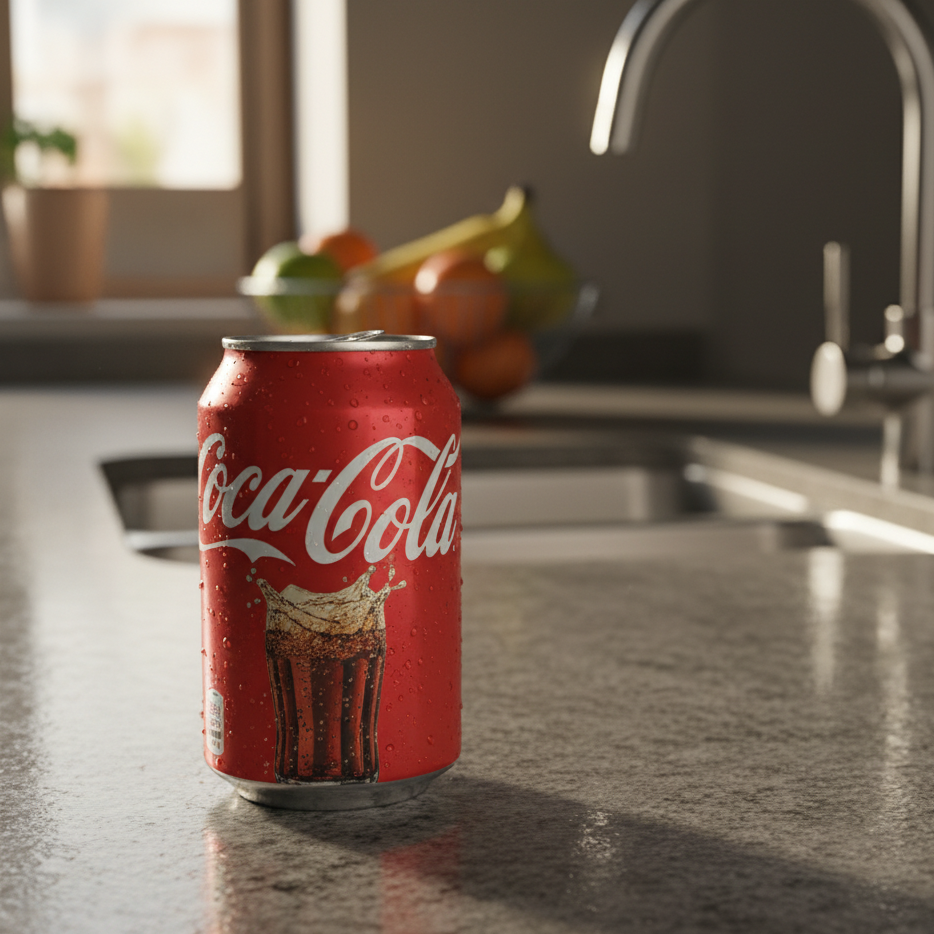
In the top right corner, you can see the same pattern that was exposed in the Reddit post, a kind of striping that would indicate to Google that this image was generated from AI.
A Large Caveat
Now, there is speculation online as to if this striping is indeed the watermark from SynthID or if this is an artifact from the generation of the image itself. I won’t dive too deep into the specifics in this blog, but AI image generation works by starting with an image of pure noise and slowly modifying that noise to appear more and more like the desired image, much like how the response from an AI starts from a completely empty string and slowly starts to “guess” what the following text will be after the prompt was given.
It’s possible that this pattern is generated as part of NanoBanana’s generation model, but this could also be an intentional move on Google’s part to embed this watermark. Until SynthID detection is out of Beta, we might not have the full picture. Nevertheless, this would be a tell-tale sign of an AI generated image from Google, regardless of how it got there.
Un-peeling the banana
Because any form of tagging or identification would have to be in the literal pixel values of the image, we can assume that this watermark of “invisible” pixels is the key. And if so, disrupting that pattern with a script would be simple—let’s do it.
In order to test this idea, I created a fairly simple Rust program that will read images into memory and modify them. For ease of use, it also crops the image to exclude the Gemini logo that is placed in the bottom right corner in most images. You can check out the source code below:
This script modifies the image by reading the pixel values of the image, which are in the RGB color space. The actual bits to render the PNG (after the metadata section) are held in “chunks” of data. Each chunk contains many pixel values for each part of the image, represented as a 24-bit register. Divide this into thirds, and you’ll have three 8-bit values---each representing the 0-255 value of an R, B, or G.
Sidenote: This is an oversimplification because of transparent PNG images, but just roll with it for now.
If we take each of these values and modify them individually, we can skew the values from their original setting. This randomization is usually considered “noise” and much effort normally goes to removing it. If you’d like to see it yourself, try taking a picture in low-light situations on your phone. Unlike film, the sensors on digital cameras have to represent each pixel, so slight differences in the dark make these small light changes quite obvious.
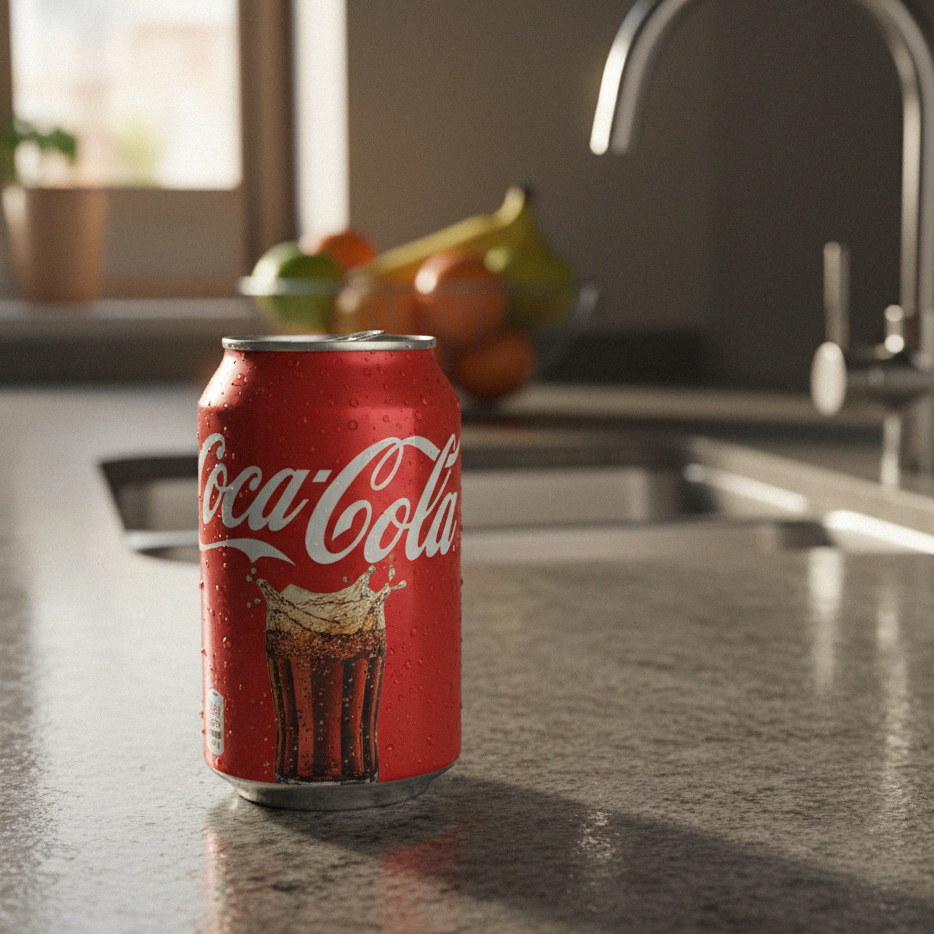
If we take the original image from before and run it through this script, we can see that the noise has been added, which makes the watermark impossible to detect.
In Closing
We’ve unpeeled the NanoBanana—pretty easily too. I suspect that Google has a few more tricks in its SynthID than just this watermark, but again, without access to this tool in non-Beta, we won’t be able to know much more. What we can tell is that this strategy may not be enough to prevent the manipulation of AI images, and the world is in for a lot of trouble as the line between real and fake continues to blur.
There are pretty sophisticated tools out there for detecting AI images, like Decopy, which thankfully still thinks this image of a Coke can is pretty fake. So, perhaps not all hope is lost. In the AI arms race, we can only hope that while image generation tools keep becoming more complex, the detection tools keep pace. We’ll surely know more about SynthID and the future of NanoBanana as Google’s Deepmind becomes more public as well.
Until next time, peace.